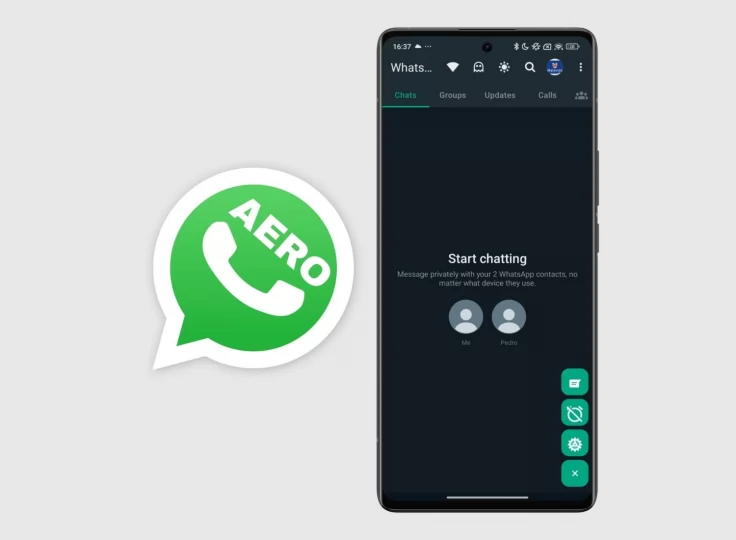
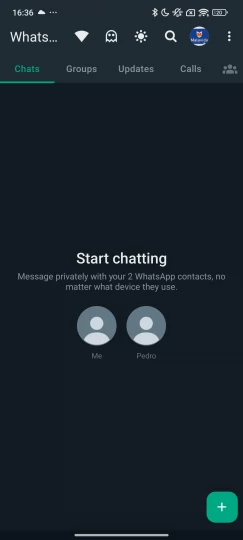
A quick visual snapshot of the main WhatsApp Aero areas before the full feature breakdown.

WhatsApp Aero Features
WhatsApp Aero is widely known for offering a more flexible and customizable messaging experience compared to the official WhatsApp application. It is designed for users who want greater control over their chat interface, privacy settings, and media sharing options. Unlike standard WhatsApp, which focuses on simplicity and uniformity, WhatsApp Aero prioritizes personalization and enhanced functionality.
This page provides a complete breakdown of WhatsApp Aero features, helping users understand what makes it one of the most popular WhatsApp mods for Android.
Advanced Privacy Controls
One of the most important aspects of WhatsApp Aero is its privacy system. Users are given more control over their online visibility and messaging behavior.
Key privacy features include:
- Hide online status
- Freeze last seen
- Hide blue ticks (read receipts)
- Hide second tick (delivered status)
- Disable typing indicator
- Disable recording indicator
- Ghost mode for invisible usage
These features allow users to communicate freely without constantly revealing their activity status. For example, users can read messages without triggering “read” receipts or appear offline while still using the app.
Custom Themes and UI Personalization
WhatsApp Aero is especially popular for its theme engine. Users can completely redesign the look of their messaging app.
Customization options include:
- Hundreds of downloadable themes
- Custom chat backgrounds
- Color palette editing
- Font style changes
- Icon pack support
- Home screen layout modifications
Unlike official WhatsApp, which offers very limited appearance customization, WhatsApp Aero allows users to transform the interface into a completely unique design.
This is one of the main reasons users switch to WhatsApp mods like Aero.
Anti-Delete Messages and Status
Another powerful feature is the ability to view deleted content.
WhatsApp Aero includes:
- Anti-delete messages
- Anti-delete status updates
When someone deletes a message, it still remains visible in WhatsApp Aero. This is useful for users who want to keep full chat transparency and avoid missing important information.
Enhanced Media Sharing
WhatsApp Aero improves media sharing limitations found in the official app.
Users can:
- Send larger video files
- Share high-quality images
- Send more images at once
- Share documents with fewer restrictions
This makes it more practical for users who frequently share media for work, study, or personal communication.
Chat Security Features
In addition to privacy controls, WhatsApp Aero also provides chat protection tools.
Features include:
- Chat lock with PIN or password
- Fingerprint protection (device dependent)
- Individual chat security settings
This ensures that sensitive conversations remain protected even if someone else accesses the device.
User Interface Improvements
WhatsApp Aero offers a more modern and visually flexible interface compared to the official app.
Improvements include:
- Smoother animations
- Cleaner layout design
- Better navigation controls
- Dark mode customization
- Improved chat bubbles and styles
These UI improvements help create a more premium messaging experience.
Performance and Stability
Despite being a modded application, WhatsApp Aero is optimized for performance.
Benefits include:
- Faster message loading
- Reduced lag on newer devices
- Better memory optimization
- Regular updates for stability
However, performance may vary depending on device specifications and APK source quality.
Summary
WhatsApp Aero features focus on three main areas:
- Privacy control
- Visual customization
- Enhanced messaging capabilities
These improvements make it a strong alternative for users who want more than what official WhatsApp offers.