A cleaner update flow helps keep chats, settings, and the latest WhatsApp Aero build together.


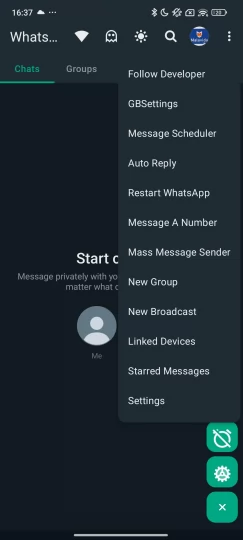
How to Update WhatsApp Aero to Latest Version 2026
Updating WhatsApp Aero is important to ensure that you always get the latest features, improved performance, and better stability. Since WhatsApp Aero is a third-party modified application, it does not update automatically like official WhatsApp from the Play Store.
This means users need to manually install the latest version when a new update is released.
This guide explains how to safely update WhatsApp Aero without losing chats or breaking your app installation.
Why You Should Update WhatsApp Aero
Keeping WhatsApp Aero updated is important for several reasons:
New Features
Each new version usually includes:
- New privacy controls
- Additional themes
- Improved UI design
- Better customization tools
Updates ensure you always have access to the latest improvements.
Bug Fixes and Stability
Older versions may contain bugs or performance issues. Updates help fix:
- App crashes
- Lag or slow performance
- Login issues
- Chat loading errors
A newer version is generally more stable and optimized.
Security Improvements
Although WhatsApp Aero is not an official app, developers often improve security mechanisms in new releases.
Updates may include:
- Improved anti-ban protection
- Better account stability
- Reduced risk of temporary bans
Before You Update WhatsApp Aero
Before updating, it is very important to take precautions to avoid losing your data.
Backup Your Chats
Always create a backup before updating:
- Open WhatsApp Aero
- Go to Settings
- Tap Chats
- Select Chat Backup
This ensures your messages and media are safe.
Check Version Compatibility
Make sure the new version:
- Supports your Android version
- Is compatible with your current installation
Installing incompatible versions may cause errors.
How to Update WhatsApp Aero APK
There are two main ways to update WhatsApp Aero.
Method 1: Direct APK Update (Recommended)
This is the safest and most commonly used method.
Step 1Download Latest Version
Download the newest WhatsApp Aero APK from a trusted source.
Step 2Locate File
Find the APK in your Downloads folder.
Step 3Install Over Existing App
Tap the file and select Install.
The new version will replace the old one without deleting your chats.
Step 4Open App
Once installed, open WhatsApp Aero and verify everything works correctly.
Method 2: Clean Install (Advanced)
If you face issues with update installation, you can use a clean install method.
Step 1Backup Chats
Make sure your chat backup is completed.
Step 2Uninstall Old Version
Remove existing WhatsApp Aero app from your device.
Step 3Install New Version
Download and install the latest APK.
Step 4Restore Backup
Log in and restore your chat data.
This method is useful when switching between major versions.
Common Update Problems
Sometimes users may face issues while updating WhatsApp Aero.
Update Not Installing
Possible reasons:
- Old version conflicts
- Corrupted APK file
- Insufficient storage
Solution:
- Uninstall old version first
- Re-download APK
- Free up space
Chats Missing After Update
This happens when backup is not restored properly.
Solution:
- Ensure backup exists
- Use same phone number
- Restore during setup
App Crashing After Update
Possible reasons:
- Incompatible version
- Bad installation file
Solution:
- Reinstall latest stable version
- Avoid unofficial modified builds
How Often Should You Update?
It is recommended to update WhatsApp Aero whenever a stable version is released.
Typical update cycle:
- Minor updates: every few weeks
- Major updates: every few months
Keeping your app updated ensures better performance and fewer bugs.
Is It Safe to Update WhatsApp Aero?
Updating WhatsApp Aero is generally safe if done correctly.
Safety tips:
- Always backup chats first
- Download from trusted sources
- Avoid skipping versions too often
- Use stable releases instead of beta builds
Benefits of Staying Updated
By keeping WhatsApp Aero updated, you get:
- Better performance
- New customization features
- Improved stability
- Enhanced privacy options
- Reduced bugs and errors
Summary
Updating WhatsApp Aero is essential for maintaining a smooth and secure experience. Since it is not an official app, users must manually install new versions, but the process is simple if done correctly.
Always remember to backup your chats before updating and download only stable versions to avoid issues.